Manitou allows your organization to generate notifications and alarms for the response on a scheduled basis based on the needs of the customer and your business. Reminders help you do this.
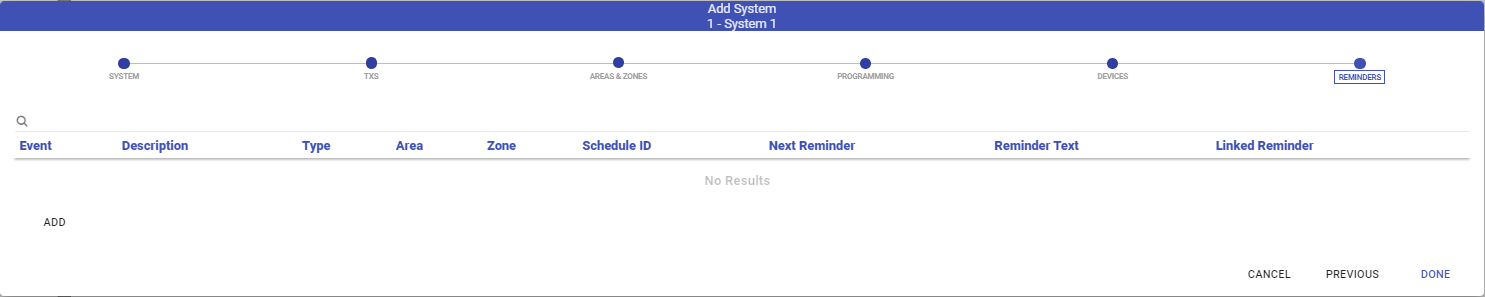
Adding a Reminder
- Click Add.
- Select the type of Reminder to create: Signal or Maintenance Issue.
- If Signal, select the Event to generate the alarm. (We recommend creating a standard, or specific, Reminder Event. Many use an event such as *REM)
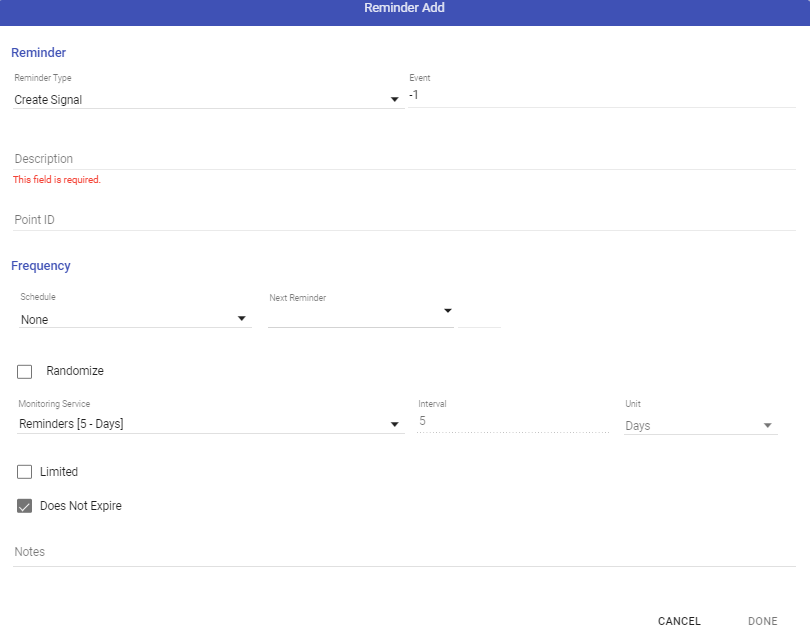
- Enter the Description.
- If necessary, enter the Point ID for the Event. (Many will more specifically describe what reminder here)
- Set the Frequency, this can be done using a schedule, if not yet created, none will be available, or based on the start date.
- Select Randomize if you would like to create the reminder at an irregular time.
- Select the Monitoring Service. (This MUST be available in the Manitou Monitoring Services.)
- Select Limited if you will expire the reminder after a specific number of times or on a date.
- Enter any Notes related to the reminder. They append to the event when delivered to the operator.
- If the Reminder is for a Maintenance Issue
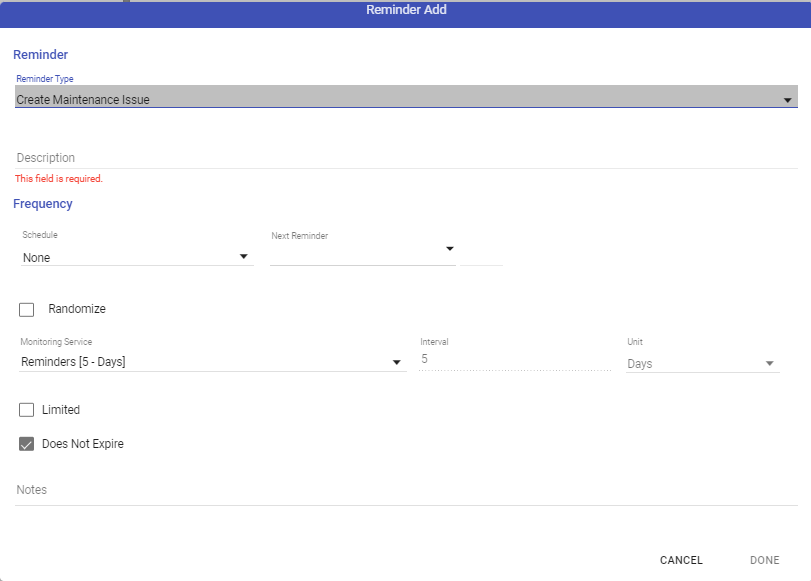
- Set the Description for the reminder.
- Set the Frequency.
- Choose Randomize if it applies.
- Choose the monitoring service.
- Select Limited, if required.
- Enter any notes that will append to the Maintenance Issue when raised by the reminder.
- Repeat as required.
When all reminders are entered as needed, click Done, then Click Done.